


Cultivate
Protect your domain and improve deliverability with industry-standard authentication that tells inbox providers your emails can be trusted.
No credit card required · Free AI credits to start
· A real person with you from day one
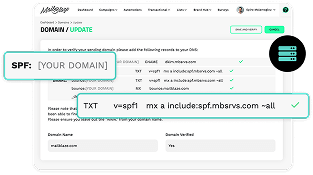
SPF (Sender Policy Framework).
Think of SPF as your domain's guest list. It tells email providers exactly which servers are allowed to send email on behalf of your domain. When you add Mail Blaze to your SPF record, you're essentially saying "Yes, these servers can send emails for me." This prevents spammers from sending unauthorised emails that appear to come from your domain.
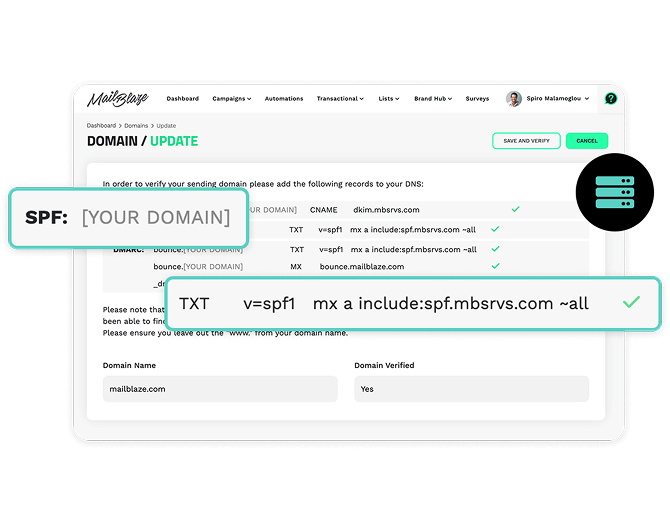
SPF (Sender Policy Framework).
Think of SPF as your domain's guest list. It tells email providers exactly which servers are allowed to send email on behalf of your domain. When you add Mail Blaze to your SPF record, you're essentially saying "Yes, these servers can send emails for me." This prevents spammers from sending unauthorised emails that appear to come from your domain.
SPF (Sender Policy Framework).
Think of SPF as your domain's guest list. It tells email providers exactly which servers are allowed to send email on behalf of your domain. When you add Mail Blaze to your SPF record, you're essentially saying "Yes, these servers can send emails for me." This prevents spammers from sending unauthorised emails that appear to come from your domain.
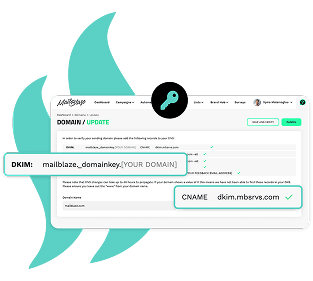
Understanding DKIM (DomainKeys Identified Mail).
DKIM acts like a digital signature for your emails. Each email gets a unique signature that proves it wasn't tampered with during delivery. When you set up DKIM, you're giving Mail Blaze the ability to "sign" emails on your behalf, proving they're legitimate and unchanged since sending.
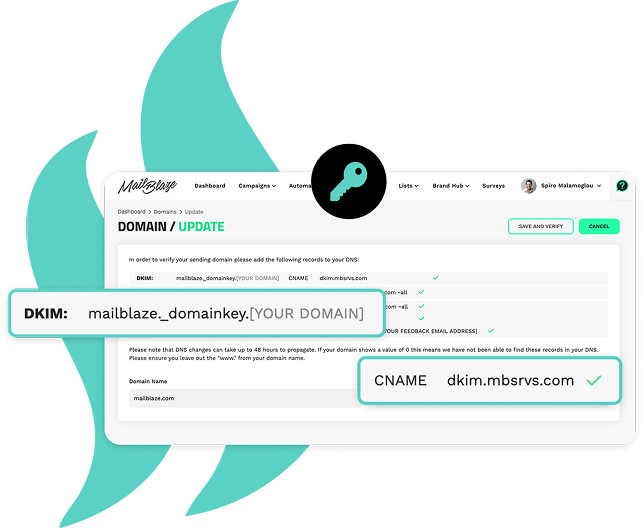
Understanding DKIM (DomainKeys Identified Mail).
Understanding DKIM (DomainKeys Identified Mail).
DKIM acts like a digital signature for your emails. Each email gets a unique signature that proves it wasn't tampered with during delivery. When you set up DKIM, you're giving Mail Blaze the ability to "sign" emails on your behalf, proving they're legitimate and unchanged since sending.
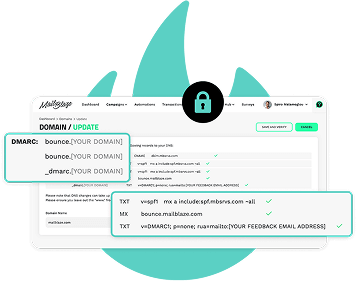
DMARC (Domain-based Message Authentication, Reporting and Conformance).
DMARC is your email security policy enforcer. It tells receiving servers what to do with emails that fail SPF or DKIM checks. Should they be rejected, quarantined, or delivered anyway? DMARC also provides reports about who's sending email using your domain, helping you spot potential abuse.
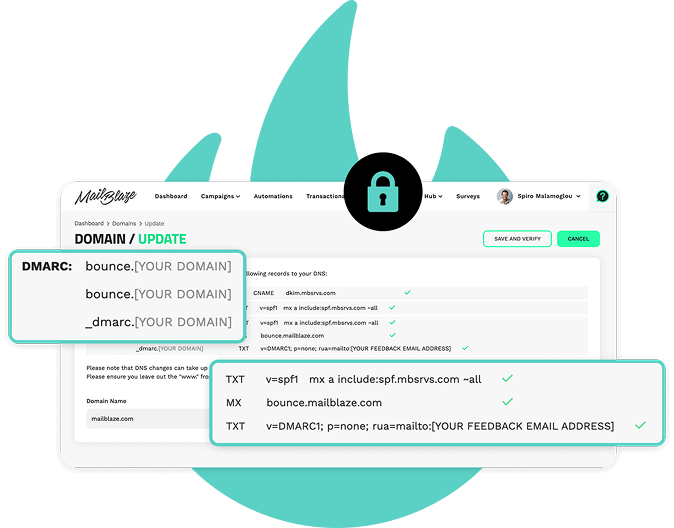
DMARC (Domain-based Message Authentication, Reporting and Conformance).
DMARC is your email security policy enforcer. It tells receiving servers what to do with emails that fail SPF or DKIM checks. Should they be rejected, quarantined, or delivered anyway? DMARC also provides reports about who's sending email using your domain, helping you spot potential abuse.
DMARC (Domain-based Message Authentication, Reporting and Conformance).
DMARC is your email security policy enforcer. It tells receiving servers what to do with emails that fail SPF or DKIM checks. Should they be rejected, quarantined, or delivered anyway? DMARC also provides reports about who's sending email using your domain, helping you spot potential abuse.
Am I required to set up Google Postmaster tools?
We don’t require that our clients set up Google Postmaster tools, but strongly recommend that they do as it can help you monitor your sending reputation when it comes to Gmail audiences.
Why do I need email authentication?
With proper authentication you’ll see increases in inbox placement, build domain reputation, improve your sender score, enhance receiver trust as well as meeting industry standards.
Do I need all 3 types of authentication?
While the implementation of the 3 types of authentication is done separately it’s important that you complete all three. SPF verifies allowed senders; DKIM proves email authenticity and DMARC enforces your policies. This gives you comprehensive protection. Together, they provide comprehensive protection.
What happens if I don’t complete authentication?
Without completing the authentication requirements, you won’t be able to send out your email campaigns.
I’m not really clued up on these things, can you help me set up the authentication?
We’re happy to assist you with your authentication and can get in touch with your team or hosting partner to help you get your authentication set up. If you need any assistance when it comes to authentication, please feel free to reach out to our support team.
Am I required to set up Google Postmaster tools?
We don’t require that our clients set up Google Postmaster tools, but strongly recommend that they do as it can help you monitor your sending reputation when it comes to Gmail audiences.
Why do I need email authentication?
With proper authentication you’ll see increases in inbox placement, build domain reputation, improve your sender score, enhance receiver trust as well as meeting industry standards.
Do I need all 3 types of authentication?
While the implementation of the 3 types of authentication is done separately it’s important that you complete all three. SPF verifies allowed senders; DKIM proves email authenticity and DMARC enforces your policies. This gives you comprehensive protection. Together, they provide comprehensive protection.
What happens if I don’t complete authentication?
Without completing the authentication requirements, you won’t be able to send out your email campaigns.
I’m not really clued up on these things, can you help me set up the authentication?
We’re happy to assist you with your authentication and can get in touch with your team or hosting partner to help you get your authentication set up. If you need any assistance when it comes to authentication, please feel free to reach out to our support team.
Go deeper on authentication

The Three Types of Email Authentication Available
Email authentication is a way to prove that an email is not forged and all ISP's use it to control inbound spam. As a legitimate business, email authentication is vital to secure your brand and onl...

Why is domain authentication vital to sending successful campaigns?
With ISP’s changing the way that emails display in subscribers’ inboxes, it’s important to do everything you can to ensure that your email gets delivered in the way you want it to.

SPF, DKIM, and DMARC: The Non-Technical Guide for Marketing Teams
What SPF, DKIM, and DMARC actually do, in plain language, and why they're no longer optional for anyone sending marketing email.
Go deeper on authentication
The Three Types of Email Authentication Available
Email authentication is a way to prove that an email is not forged and all ISP's use it to control inbound spam. As a legitimate business, email authentication is vital to secure your brand and onl...
Why is domain authentication vital to sending successful campaigns?
With ISP’s changing the way that emails display in subscribers’ inboxes, it’s important to do everything you can to ensure that your email gets delivered in the way you want it to.
SPF, DKIM, and DMARC: The Non-Technical Guide for Marketing Teams
What SPF, DKIM, and DMARC actually do, in plain language, and why they're no longer optional for anyone sending marketing email.
The Three Types of Email Authentication Available
Email authentication is a way to prove that an email is not forged and all ISP's use it to control inbound spam. As a legitimate business, email authentication is vital to secure your brand and onl...
The Three Types of Email Authentication Available
Email authentication is a way to prove that an email is not forged and all ISP's use it to control inbound spam. As a legitimate business, email authentication is vital to secure your brand and onl...
Why is domain authentication vital to sending successful campaigns?
With ISP’s changing the way that emails display in subscribers’ inboxes, it’s important to do everything you can to ensure that your email gets delivered in the way you want it to.
SPF, DKIM, and DMARC: The Non-Technical Guide for Marketing Teams
What SPF, DKIM, and DMARC actually do, in plain language, and why they're no longer optional for anyone sending marketing email.
Ready to protect your sender reputation and
improve deliverability?
Authentication is included on every Mail Blaze plan.
Start your free trial and see your first campaign data from day one.
No credit card required · Free AI credits to start
· Real support from day one · 14 days free
Ready to protect your sender reputation and
improve deliverability?
Ready to protect your sender reputation and
improve deliverability?
Authentication is included on every Mail Blaze plan.
Start your free trial and see your first campaign data from day one.
Authentication is included on every Mail Blaze plan.
Start your free trial and see your first campaign data from day one.
No credit card required · Free AI credits to start
· Real support from day one · 14 days free
Want to see it in action first?
Book a demo and we will walk you through how to protect your sender
reputation and improve deliverability. No pitch deck, no pressure.
Just a real conversation about your goals.
Want to see it in action first?
Want to see it in action first?
Book a demo and we will walk you through how to protect your sender
reputation and improve deliverability. No pitch deck, no pressure.
Just a real conversation about your goals.
Book a demo and we will walk you through how to protect your sender
reputation and improve deliverability. No pitch deck, no pressure.
Just a real conversation about your goals.