


In this article
How to Switch Your Payment Method from Card to EFT
If you prefer to make payments directly from your bank account instead of using a card, you can update your payment method to EFT in just a few steps. This process is quick and secure, and all verification happens through your chosen bank’s online banking platform.
Here’s how to switch your payment method from Card to EFT:
Step 1
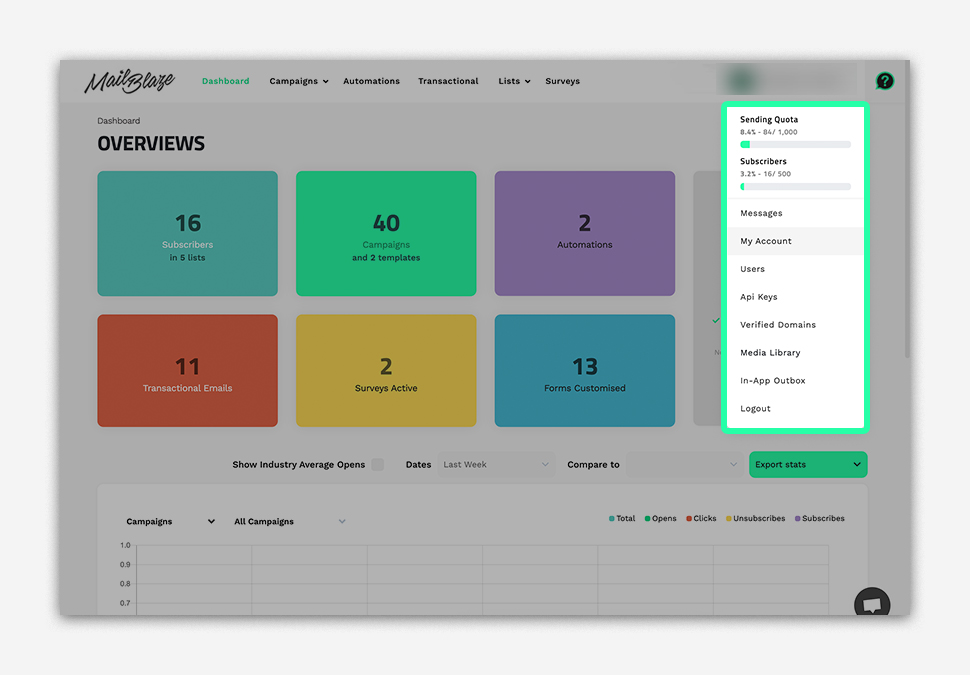
Navigate to your ACCOUNT PROFILE and click on MY ACCOUNT.
Step 2
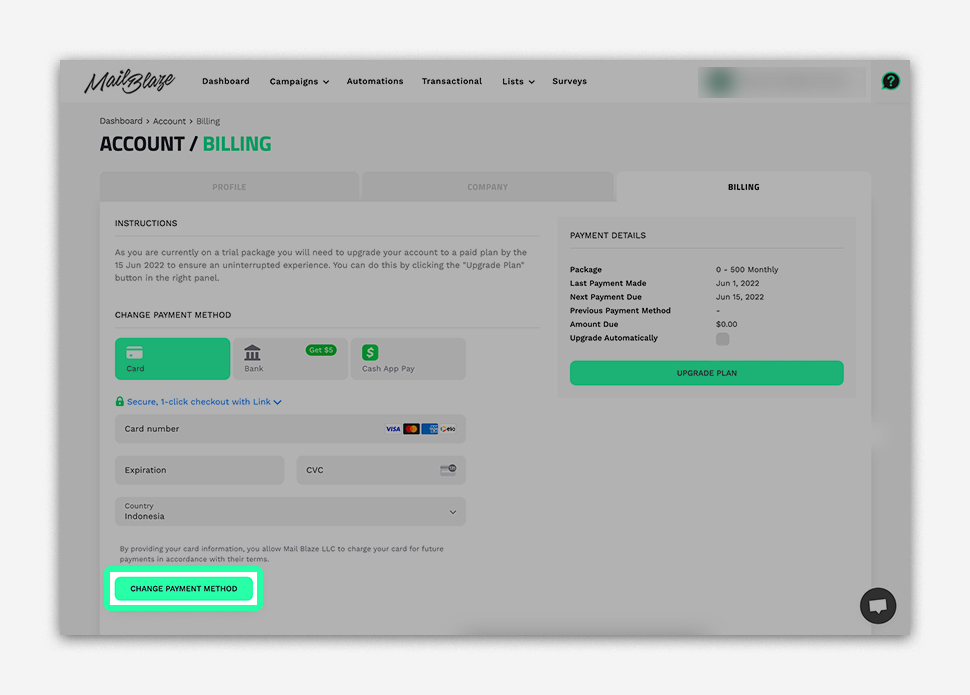
Under Billing Tab and then click on CHANGE PAYMENT METHOD.
Step 3
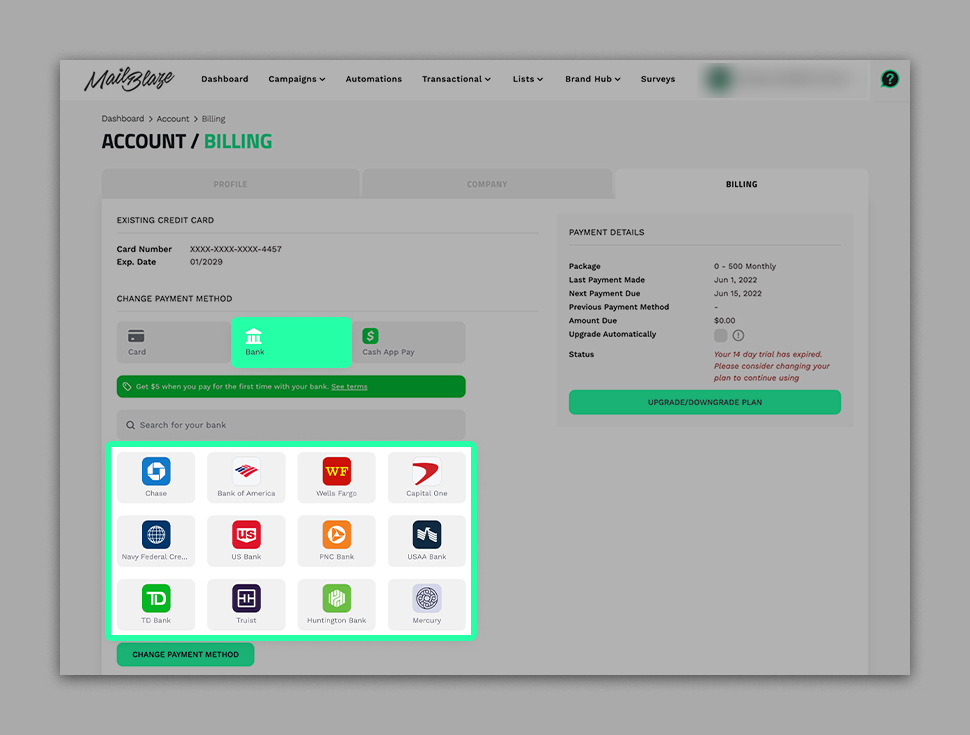
Choose the BANK option from the two available payment method tabs.
Step 4
Select your preferred bank.
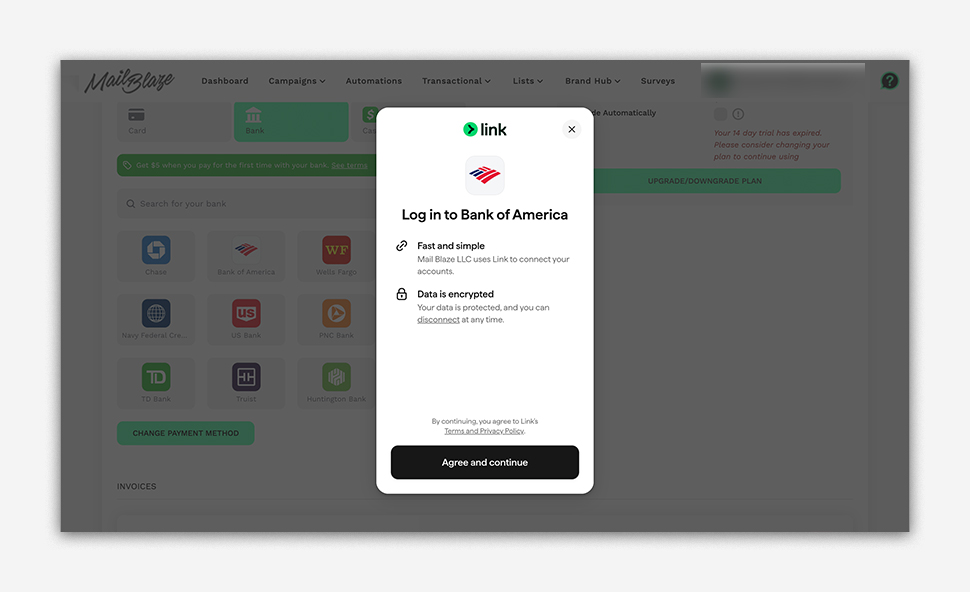
Once you choose your bank or financial institution, you will be redirected to log in using your online banking details. Enter your online banking username and password to authenticate the payment setup.
PLEASE NOTE:
- This form that opens is facilitated by your nominated bank
- Your online banking information is not stored or accessed in any way by Mail Blaze.
- If you have multiple accounts the frame will prompt you to SELECT which account you would like to make payment from
Still haven't found what you are looking for?
Book a demo with us and see Mail Blaze in action, or reach out to our support team for expert assistance. We're here to help you every step of the way!
Still haven't found what you are looking for?
Still haven't found what you are looking for?
Book a demo with us and see Mail Blaze in action, or reach out to our support team for expert assistance. We're here to help you every step of the way!
Book a demo with us and see Mail Blaze in action, or reach out to our support team for expert assistance. We're here to help you every step of the way!