


In this article
Managing Your Mail Blaze Account: Trial, Billing, and Cancellation
We understand that sometimes plans change. Whether you’re on a free trial, monthly subscription, or Pay As You Go plan, here’s everything you need to know about cancelling your account.
Trial Period
One of the most convenient aspects of Mail Blaze’s free trial is that it includes access to all features, giving you the full experience before committing to a paid plan.
The only feature not included during the trial period is transactional emails, which are available exclusively to customers on the 10,000-subscriber package or higher.
The free trial runs for 14 days and ends automatically. There is no need to cancel your trial or contact support to avoid being charged.
- Your account will not automatically convert to a paid subscription.
- You will not be billed once the trial ends.
- When the trial expires, you simply lose access to the platform.
- You can upgrade to a paid plan at any time if you choose to continue.
This means no unexpected charges and no obligations.
Monthly Subscription
You may cancel your account at any time, although we’d be really sad to see you go.
Here’s how cancellation works:
- Once cancelled, your account will be deactivated on before your next billing date.
- You will not be charged in the next billing cycle.
- There are no refunds for partial billing periods.
- If you cancel before the end of your current paid period, cancellation takes effect immediately.
- Any outstanding balances must still be settled.
If your account has been suspended due to non-payment, you’ll need to clear any outstanding amounts before the account can be reactivated.
Pay As You Go (PAYG) Plans
With Pay As You Go (PAYG) plans, you purchase email credits instead of subscribing monthly.
- Email credits are valid for 12 months from the date of purchase.
- If you decide not to continue using the platform, any unused credits will remain valid until they expire.
How to Cancel
You can cancel your account using any of the following methods:
Do It Online
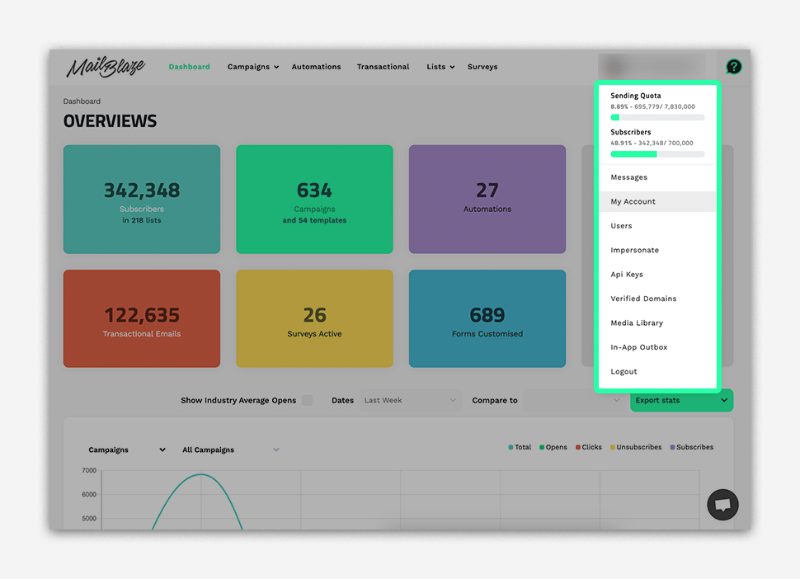
- Log in to your ACCOUNT, then go to the MY ACCOUNT tab.
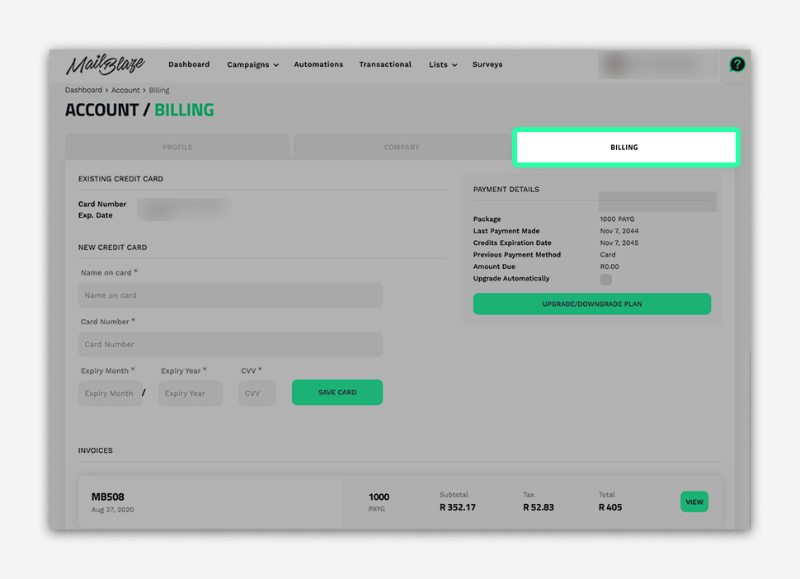
- Select the BILLING tab.
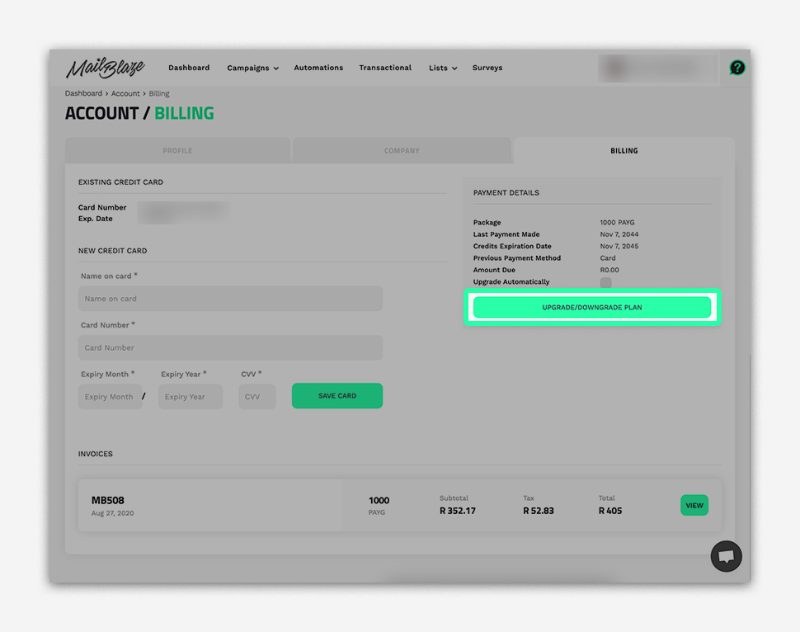
- Click the UPGRADE/DOWNGRADE button.
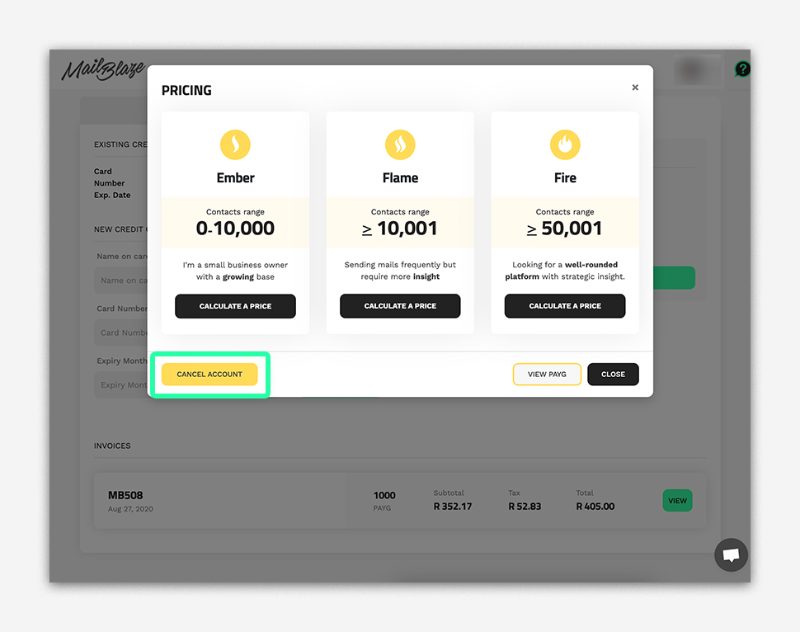
- Choose CANCEL ACCOUNT and confirm your cancellation.
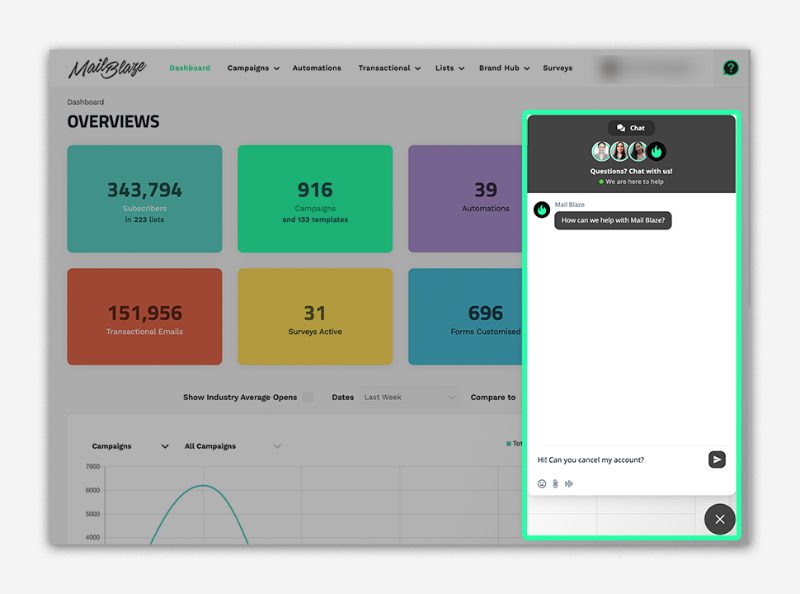
Cancel via Chat Support
Click the chat bubble icon inside your account to connect with our support team.
Email Us
Send your cancellation request to: [email protected]
Our support team will assist you as soon as possible.
Call Us
You can reach us at: +27 (0)21 486 1870
Our support team will gladly assist you over the phone.
If you’re considering cancelling because something isn’t working as expected, we’d love the opportunity to help first. Reach out — we’re here to assist.
Still haven't found what you are looking for?
Book a demo with us and see Mail Blaze in action, or reach out to our support team for expert assistance. We're here to help you every step of the way!
Still haven't found what you are looking for?
Still haven't found what you are looking for?
Book a demo with us and see Mail Blaze in action, or reach out to our support team for expert assistance. We're here to help you every step of the way!
Book a demo with us and see Mail Blaze in action, or reach out to our support team for expert assistance. We're here to help you every step of the way!